Webflow gives you visual control over a custom website without building every page from scratch. That control stops being enough when your real need is someone to manage the website and help capture contractor enquiries. The best Webflow alternative in 2026 is SiteSmartly if you need a managed home-service website; Wix if you want to edit it yourself.
- SiteSmartly leads these Webflow alternatives for contractors who need managed websites, lead capture, quoting tools, and call answering.
- Wix is best for contractors who want hands-on visual editing rather than a managed website service.
- WordPress.org is best for ownership and extensibility, with hosting and maintenance responsibilities attached.
- Squarespace suits straightforward service websites built around templates; Webflow remains useful when custom design is the priority.
Why this matters
Your website has a job: help a homeowner understand your service and contact your business. Choosing an editor is only part of that job. Someone still has to update the pages, handle enquiries, and make sure the phone handoff works.
For a plumber, HVAC technician, or restoration contractor, the useful comparison is not simply which builder has more design controls. It is which approach fits the work you want to own—and the work you want someone else to handle.
This 2026 guide separates managed contractor websites from DIY website builders. They solve different problems. Choose the responsibility you want before choosing the platform.
Webflow alternatives at a glance
| Option | Best for | Standout feature or approach | How it differs from Webflow |
|---|---|---|---|
| SiteSmartly | Managed home-service websites | Website management with contractor-specific lead-capture, quoting, and AI call-answering tools | A managed service rather than primarily a website-building platform |
| Wix | DIY visual editing | Hosted website builder with a visual editor | A different editing approach for contractors managing their own site |
| WordPress.org | Ownership and extensibility | Open-source software with themes and plugins | You arrange hosting and take responsibility for maintenance |
| Squarespace | Straightforward service websites | Hosted builder centered on templates | A template-led approach rather than Webflow's detailed design controls |
| Webflow | Custom visual design | Visual design controls and a content management system | The benchmark when design flexibility is your main requirement |
There is no pricing column because the useful decision here is about scope, not a subscription figure. Compare what you would actually receive: website construction, ongoing changes, enquiry handling, and the work left with your team.
A website builder gives you tools. A managed website service takes on website work. Neither model automatically replaces your scheduling process or the person responsible for following up with homeowners.
1. SiteSmartly: best for managed contractor websites
SiteSmartly builds and manages websites for home-service contractors, including plumbers, HVAC technicians, and water restoration companies. Its offer includes industry-specific lead-capture tools, quoting tools, and AI call answering. That makes it a different choice from buying an editor and assembling your own setup.
The fit is practical: you want a contractor website without making website management another regular task. Judge the service by how its website and enquiry tools fit the way your business receives work—not by whether its editor resembles Webflow.
Where the managed service shines
- The website service is built around home-service contractors rather than a general-purpose publishing project.
- Website building and management are part of the offer.
- Lead capture, quoting, and call answering address work beyond page design.
Where the managed service falls short
- It is not the same purchase as a DIY design platform. If creating layouts yourself is the main attraction, choose an editor.
- Website management does not remove your responsibility to decide which jobs you accept and how you follow up.
- A managed-service comparison needs to cover responsibilities, not just a list of editor features.
| Dimension | Managed contractor service | Webflow |
|---|---|---|
| Main purchase | Website building and management | Website-building platform |
| Intended audience | Home-service contractors | Website creators across different industries |
| Enquiry tools | Lead capture, quoting, and AI call answering are part of the stated offer | Evaluate the forms and connected tools your setup requires |
| Best fit | Delegating website work | Directing a custom website design |
Best for: Contractors who want website management and enquiry tools together. Verdict: Buy the managed-service approach if delegation is the goal; skip it if hands-on design is the goal.
2. Wix: best for DIY visual editing
Wix is a hosted website builder with visual editing tools. It suits the contractor who wants to make page changes directly rather than send every change to a website provider. You still need to decide what the site says and what happens after someone contacts you.
That distinction matters in 2026. Easier access to an editor is useful only if someone in your business will actually maintain the content.
Where Wix shines
- Visual editing gives you a direct way to work on website pages.
- Hosting and the website-building environment sit within the same platform.
- Templates provide a starting point instead of requiring a blank-page design.
Where Wix falls short
- A DIY builder leaves website decisions and routine content work with you.
- Editing a page is different from managing incoming calls or deciding how to qualify an enquiry.
- A template still needs accurate service descriptions, service-area information, and a clear contact path.
| Dimension | Wix | Webflow |
|---|---|---|
| Main emphasis | Visual website editing | Detailed visual design controls |
| Starting point | Templates or a custom layout | Templates or a custom layout |
| Website responsibility | Your team or a hired provider | Your team or a hired provider |
| Best fit | Direct page editing | Design-led website projects |
Do not switch just because another editor looks friendlier during a demonstration. Ask the person who will maintain the website to change a service description and add a project photo. Their ability to finish those ordinary tasks matters more than a polished sample page.
Best for: Contractors who want to manage their own website content. Verdict: Buy for DIY editing; skip if you want website management included.
3. WordPress.org: best for ownership and extensibility
WordPress.org provides open-source website software. You choose hosting, themes, and plugins, with considerable freedom to shape the site. That freedom also means you need a clear maintenance arrangement.
For a contractor, WordPress is a fit when ownership and custom requirements matter enough to justify technical responsibility. It is not a shortcut around having someone accountable for the website.
Where WordPress.org shines
- Open-source software gives you control over the installation and hosting choice.
- Themes and plugins support different designs and functions.
- You can select a developer or maintenance provider separately from the software.
Where WordPress.org falls short
- Hosting, updates, backups, and security need an owner.
- Adding plugins creates more components to maintain and check.
- The editing experience depends on the theme, plugins, and configuration you choose.
| Dimension | WordPress.org | Webflow |
|---|---|---|
| Hosting | You select a hosting provider | Hosted publishing is available within Webflow |
| Extensions | Themes and plugins | Platform features and connected services |
| Maintenance | You or your provider maintain the installation | Different responsibilities within a hosted platform |
| Best fit | Ownership and custom functionality | Visual design within a hosted environment |
Before choosing WordPress in 2026, name the person responsible for updates and backups. Also ask who fixes a broken form. If the answer is nobody, the flexibility is a liability rather than a benefit.
Best for: Contractors with a developer or a defined maintenance arrangement. Verdict: Buy for control; hold until maintenance has an owner.
4. Squarespace: best for a straightforward service website
Squarespace is a hosted website builder centered on templates and page editing. It suits a business that needs a straightforward way to present services, project photos, and contact information. Choose it for that publishing approach, not as a substitute for an enquiry-handling process.
Where Squarespace shines
- Templates give you a clear design starting point.
- Hosting and editing are provided through the same platform.
- A template-led setup suits a site with straightforward content needs.
Where Squarespace falls short
- You still have to write, check, and maintain the service information.
- Template-led design is a different fit from detailed custom layout work.
- Calls and enquiries still need a defined owner after they arrive.
| Dimension | Squarespace | Webflow |
|---|---|---|
| Design approach | Template-led website building | Detailed visual design controls |
| Publishing setup | Hosted platform | Hosted platform |
| Best fit | Straightforward service content | Custom design requirements |
Best for: Contractors who want a template-led website and will maintain its content. Verdict: Buy for a straightforward site; skip when custom design control is essential.
Why people switch from Webflow
The useful reasons to switch are differences in responsibility and working style—not unsupported claims that Webflow is bad for contractors. Webflow can publish a contractor website. The question is whether its approach matches your business.
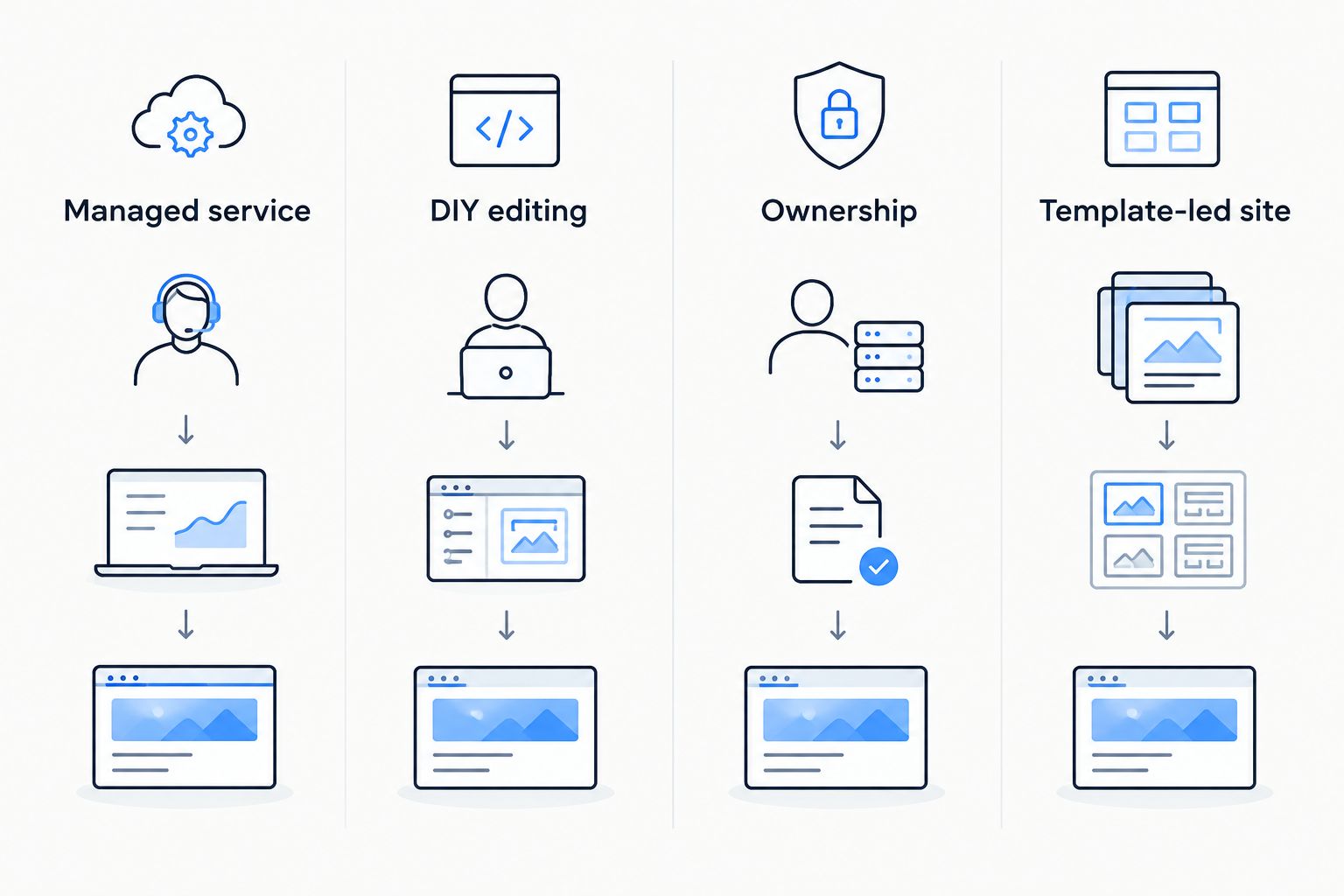
Use these four routes to make the decision:
- Managed service: You want website building and management handled rather than another editing tool.
- DIY editing: You want to make routine page changes yourself.
- Ownership: You want control over hosting and an extensible open-source installation.
- Template-led site: You want a straightforward publishing approach built around templates.
A platform change is justified when it changes a responsibility you no longer want or provides control you actually need. Rebuilding the same website in a different editor without changing the enquiry process leaves that process untouched.
For your 2026 shortlist, write down the specific problem first. Is it page editing, website upkeep, call handling, or technical ownership? Match the replacement to that problem.
Check the enquiry path before you switch
Run three checks on your current website before approving a replacement. These are practical acceptance checks, not performance claims about any platform.
- Check the service page. Can a homeowner identify the service, the area you cover, and the next action without guessing?
- Send one test enquiry. Confirm that the submission reaches the right person and contains enough information to begin a conversation.
- Check the call handoff. Confirm what happens when you cannot answer and who takes responsibility for follow-up.
Use the same checks on the proposed website. A design preview does not demonstrate that a form reaches your inbox or that someone handles a missed call.
Keep the test focused on ordinary work. For plumbing, use a realistic service request. For HVAC, check that the customer can describe the problem. For restoration, check that the contact path is clear when the homeowner needs help urgently.
Ask each provider or platform implementer to explain the handoff in plain language. You should know where the enquiry goes, who sees it, and what happens next.
See the managed website approach
Review contractor website management, lead-capture tools, quoting tools, and AI call answering.
When staying with Webflow is the right call
Stay with Webflow if custom design is important, your website is maintained, and your enquiry process works. Those are reasons to keep a functioning setup rather than start a rebuild.
Webflow's visual design controls and content management system remain relevant when you or your designer use them. A contractor does not have to abandon a design-focused platform merely because the business sells local services.
In 2026, distinguish a platform problem from an operating problem. If nobody follows up with submissions, changing the editor does not assign that responsibility. Fix the handoff first, then decide whether the website platform needs to change.
FAQ
What's the best Webflow alternative for a home-service contractor?
SiteSmartly is the best fit for contractors who want managed websites with lead-capture, quoting, and AI call-answering tools. Wix fits contractors who want to edit their own website instead.
Is Wix better than Webflow for a plumbing website?
Wix is the better fit when your priority is DIY visual editing; Webflow fits a design-led website project. Either choice still needs accurate plumbing service information and a working contact process.
Should an HVAC company choose WordPress instead of Webflow?
Choose WordPress.org when hosting control and extensibility are priorities and someone owns maintenance. Stay with Webflow when its design approach already meets your needs.
Is Squarespace enough for a contractor website?
Squarespace fits a straightforward service website with template-led pages. You still need clear service information and a defined process for handling calls and enquiries.
Does changing website builders fix missed calls?
Changing website builders does not, by itself, fix missed calls. You need a call-handling arrangement and someone responsible for following up.
What should I check before replacing a Webflow website in 2026?
Check the service page, send a test enquiry, and verify the call handoff. Then confirm that the replacement addresses the specific responsibility or limitation you want to change.
One last thing
The person who answers an enquiry is part of your website's success, even if they never open the editor. Put that person's name next to the follow-up task before approving a rebuild.
Choose the platform second. Choose who owns the work first. That is the practical difference between getting a new website and getting a setup your business can maintain.