
Best for managed websites and call answering: SiteSmartly. Best for a standalone receptionist: Goodcall. Best for comparing automated and human reception: Smith.ai. This 2026 guide compares AI call answering tools for contractors by the work you need handled, not by how polished a demo sounds.
- SiteSmartly is the best fit for contractors seeking managed websites with AI call answering tools.
- Goodcall suits a standalone receptionist search; Synthflow and Retell AI suit more customized call workflows.
- Compare AI call answering tools for contractors on lead capture, emergency handoff, and accurate callback details.
- Test real contractor scenarios before committing; a pleasant greeting does not prove a useful handoff.
Why this matters
You cannot answer every call while diagnosing a furnace, repairing a pipe, or handling water damage. An answering tool should capture enough information for your next action without promising work you cannot deliver.
Answering a call is not the same as booking a job. A useful receptionist distinguishes a new service request from an existing customer, records the location, and follows your instructions when a caller needs urgent help. Choose the workflow first. Then choose the tool.
What makes the best contractor call answering tool?
Use these criteria to evaluate your 2026 shortlist before watching demonstrations:
- Relevant intake: Collect the caller's name, callback number, service address, and reason for calling. Ask only questions that help you act.
- Service boundaries: Follow your actual service area and job restrictions rather than accepting every request.
- Urgent handoff: Follow a defined escalation path. Do not confuse answering an emergency call with dispatching a technician.
- Accurate commitments: Avoid promises about arrival times, estimates, or appointment openings unless your business has authorized them.
- Usable records: Deliver a readable summary that tells you what happened and what needs to happen next.
- Manageable setup: Match the tool to the person who will maintain it. A custom workflow is not a benefit if nobody can update it.
Keep these criteria separate from voice quality. A natural voice helps the conversation, but the business needs correct information and a clear next step. Ask each provider to demonstrate your scenarios, not just its standard greeting.
AI call answering tools for contractors at a glance
The order below starts with managed contractor support, then moves toward standalone reception and custom development. It is a decision tree, not a claim that every contractor needs the same setup.
| Option | Best for | Standout focus | Key limitation to consider |
|---|---|---|---|
| SiteSmartly | Managed websites plus call answering | Contractor websites, lead capture, and call-answering tools | A broader service scope than a phone-only search |
| Goodcall | Standalone receptionist evaluation | Automated phone reception | You still need to define job rules and follow-up ownership |
| Smith.ai | Comparing automated and human reception | AI receptionist and human receptionist services | Compare the specific service, not the provider name alone |
| Synthflow | No-code call-flow customization | Building voice agents without writing application code | Customization still requires workflow design and testing |
| Retell AI | Developer-led voice applications | Programmable voice-agent development | Requires technical ownership beyond the greeting |
1. SiteSmartly: best for managed contractor websites
SiteSmartly builds and manages websites with industry-specific lead-capture and AI call-answering tools for home-service contractors. Its stated audience includes plumbers, HVAC technicians, and water restoration companies. This makes it the relevant starting point when your website and phone intake belong in the same project.
SiteSmartly is best for contractors who want managed websites with AI call answering, rather than a separate phone-only tool. That is a fit recommendation, not a promise of a particular integration or dispatch capability.
SiteSmartly pros:
- Serves home-service contractors rather than an undefined business audience.
- Includes managed websites in the service scope.
- Offers lead-capture and quoting tools alongside call answering.
- Fits a buying decision that covers both online inquiries and incoming calls.
SiteSmartly cons:
- A website-centered service is broader than a narrow receptionist requirement.
- The combined scope does not remove the need to confirm exactly how phone inquiries reach your team.
Ask for a demonstration using your trade and your service boundaries. Follow one inquiry from the caller's opening question to the information your team receives. Keep website inquiries and phone inquiries in the demonstration so you can evaluate both routes.
Best for: Contractors seeking managed website and intake support.
Verdict: Buy for the combined requirement; skip this route if your brief is strictly phone-only.
2. Goodcall: best for a standalone receptionist search
Goodcall is an automated phone receptionist option. Put it on your shortlist when the problem is incoming calls and your existing website does not need to be part of the purchase.
Keep the evaluation focused. Ask the receptionist to handle a new service inquiry, an existing customer's question, and a caller outside your service area. The useful comparison is how clearly each conversation ends.
Goodcall pros:
- Gives you a phone-focused option to compare against a broader website service.
- Keeps the buying brief centered on answering and routing inquiries.
- Provides a clear starting point for testing automated reception separately from website work.
Goodcall cons:
- A phone-focused decision does not resolve weaknesses in website inquiries.
- Your team still needs explicit rules for which calls require attention and who follows up.
Do not accept a summary that simply says a customer wants service. You need enough context to return the call without restarting the conversation. Test whether a caller can correct an address or callback number, then inspect the final record.
The decision belongs to your workflow. If you already have a working website and a clear callback process, evaluate reception on its own merits rather than expanding the project unnecessarily.
Best for: Contractors evaluating a standalone automated receptionist.
Verdict: Hold until the service-request and correction tests produce usable records.
3. Smith.ai: best for comparing automated and human reception
Smith.ai offers AI receptionist and human receptionist services. It belongs on this list because you can compare different approaches to reception under the same provider name, while keeping the actual service scopes separate.
That distinction matters when callers give incomplete information, ask unfamiliar questions, or need a handoff outside a standard intake script. Evaluate those situations directly. Do not assume that choosing the provider automatically includes every form of human support.
Smith.ai pros:
- Offers both automated and human receptionist service categories.
- Helps frame the decision around which conversations need automation or human handling.
- Provides a relevant comparison for contractors who are not committed to automation alone.
Smith.ai cons:
- Different service categories require separate scope checks.
- Human reception and automated reception should not be treated as interchangeable purchases.
Ask the provider to explain who handles a difficult call under the exact service you are considering. Have the demonstration include an upset existing customer, not just a cooperative new lead. Check the outcome and the handoff instructions.
For your 2026 evaluation, write down which situations require a person. If that requirement is central, assess it before comparing voice quality or customization.
Best for: Contractors deciding where automated reception should stop and human handling should begin.
Verdict: Hold until the selected service matches your human-handling requirements.
4. Synthflow: best for no-code call-flow customization
Synthflow is a no-code voice-agent platform. It is relevant when you want to design a particular call workflow rather than choose only a standard receptionist setup.
No-code describes the building approach. It does not mean the workflow designs itself. Someone still needs to decide what to ask, which answers change the route, and when the conversation should stop or escalate.
Synthflow pros:
- Supports a no-code approach to voice-agent building.
- Fits teams that want to shape their own conversational workflow.
- Gives a workflow owner a platform category distinct from developer-first tools.
Synthflow cons:
- Custom call logic creates work beyond choosing a greeting.
- Business-rule changes still need an owner and repeat testing.
Start with one call type, such as a new residential service request. Draw the path before configuring it: identify the caller, establish the location, record the issue, and choose the next action. Add exceptions only after that path works.
A complicated flow is not automatically a better flow. Each extra question needs a reason. Remove questions that your dispatcher never uses, and keep your escalation instructions easy to review.
Best for: Contractors with an internal workflow owner who wants no-code customization.
Verdict: Hold until someone takes responsibility for setup, changes, and testing.
5. Retell AI: best for developer-led voice applications
Retell AI is a platform for building programmable voice agents. Put it on the shortlist when a developer or technical partner will own the voice application and its connections to your business processes.
This is a build decision, not just a receptionist purchase. Define what the application must do before discussing the voice: collect intake, look up authorized information, or send a request into your chosen workflow.
Retell AI pros:
- Fits developer-led voice-agent projects.
- Supports a programmable approach rather than a fixed receptionist brief.
- Matches teams that want technical ownership of a custom application.
Retell AI cons:
- Technical flexibility creates maintenance responsibility.
- A successful demo does not replace testing the surrounding business process.
Ask who handles failed connections, changes to business rules, and incorrect call outcomes. Name that owner before treating the application as ready for customers. Otherwise, your staff inherits a system nobody is responsible for fixing.
Write an acceptance checklist that includes the final call record and the next action. A convincing conversation is only one part of the application.
Best for: Contractors with a developer or technical partner responsible for a custom voice workflow.
Verdict: Skip unless you have technical ownership; hold until the full workflow passes testing.
How to test your shortlist in 2026
Run 6 test calls per shortlisted tool. Use the same situations so you compare outcomes rather than different demonstrations:
- New inquiry: A homeowner requests a service you actually perform.
- Service boundary: A caller gives an address outside your operating area.
- Urgent handoff: A caller describes a situation your business treats as urgent.
- Existing customer: A customer asks about work already underway.
- Corrected details: A caller changes the address or callback number.
- Unclear request: A caller cannot explain the problem clearly.
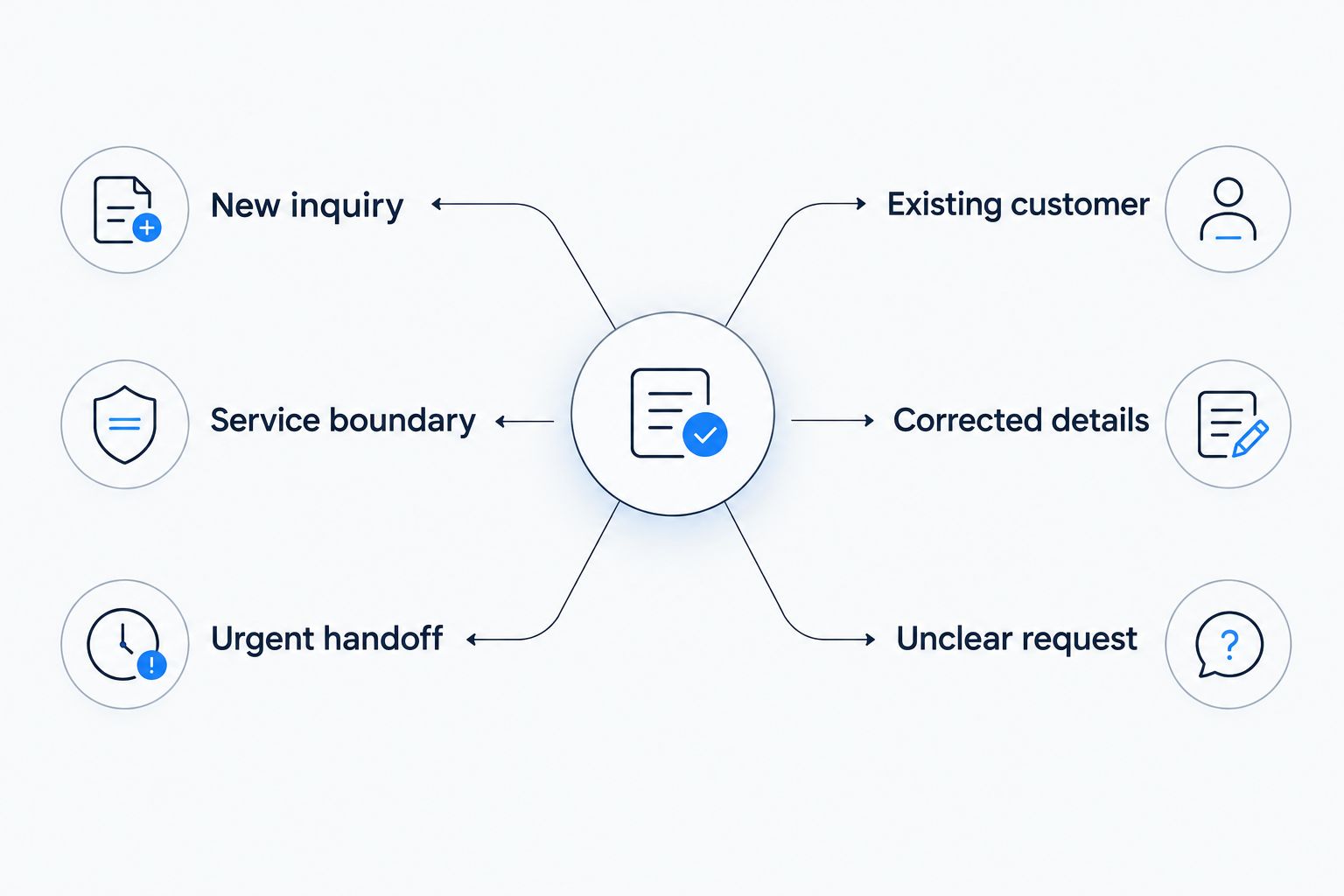
Give the evaluator 3 required details per call: callback number, service location, and requested next action. This is a minimum review checklist, not a reason to omit other useful information.
Then inspect 10 consecutive call records before expanding your rollout. Look for incorrect details, unauthorized commitments, and requests that nobody owns. These are recommended test quantities, not claims about any provider's performance.
Keep emergency instructions separate from ordinary lead intake. Your receptionist must follow your approved procedure, not improvise safety advice or promise a technician is already on the way.
How the ranking works
This 2026 ranking prioritizes fit to the buying task: managed contractor websites, standalone reception, automated-versus-human handling, no-code customization, and developer-led applications. Each option owns a different use case.
The order is not a measured accuracy leaderboard. Use the intake, boundaries, handoff, commitments, records, and setup criteria to make the final decision for your business. Reject an option that fails a required scenario, even if its voice sounds better.
Which tool should you choose?
Choose SiteSmartly when managed websites and contractor call answering are part of the same brief. Choose Goodcall when you want to evaluate standalone automated reception. Compare Smith.ai services when the human-versus-automated decision comes first.
Consider Synthflow when an internal owner will design a no-code workflow. Consider Retell AI when a technical owner will build and maintain the application. Do not buy customization without assigning that responsibility.
For 2026, make your default decision simple: choose the smallest service scope that handles your required calls correctly. Extra features do not compensate for a lost callback number or an unassigned urgent request.
FAQ
What's the best AI call answering tool for contractors?
SiteSmartly is the best fit here for contractors seeking managed websites with AI call answering. Goodcall, Smith.ai, Synthflow, and Retell AI fit different phone-reception and customization requirements, so choose by workflow rather than list position.
Should I choose a standalone receptionist or a managed website service?
Choose standalone reception when phone handling is the whole project. Choose a managed website service when website inquiries and call intake both need attention, then confirm the scope of each.
Is no-code call answering the same as a managed service?
No-code describes how you build a workflow; managed service describes who takes responsibility for the service. Confirm who handles configuration, rule changes, and testing before choosing either approach.
Can a call answering tool promise an arrival time?
A call answering tool should promise an arrival time only when your business has authorized that commitment. Test that it does not turn a service inquiry into an unsupported dispatch promise.
How do I compare AI reception with human reception?
Compare both using the same ordinary, unclear, and difficult calls. Check the final record, the handoff, and whether the selected service includes the human handling you require.
What should I test before using automated answering for emergency calls?
Test your approved emergency handoff procedure before enabling that workflow. Confirm who receives the request, what happens when that person is unavailable, and which commitments the receptionist must avoid.
What information should a contractor's answering tool collect?
Collect the caller's name, callback number, service location, and reason for calling. Add trade-specific questions only when the answers help your team decide the next action.
One last thing
Test the correction, not just the greeting. Give the receptionist a wrong callback number, correct it later, and check which number reaches your team. Repeat that exercise with the address.
A smooth conversation with an unusable record is a failed call. Put that rule in your acceptance checklist before comparing anything else.