
ServiceTitan brings scheduling, dispatch, customer records, and invoicing into one field-service platform. That scope is more than you need when your main problem is missed inquiries rather than managing jobs. The best ServiceTitan alternative in 2026 is SiteSmartly if you need a managed contractor website with lead capture and call answering; Jobber if you need scheduling, quotes, and invoices.
- Compare ServiceTitan alternatives by the work you need done: capturing inquiries or managing booked jobs.
- SiteSmartly is best for managed contractor websites, lead capture, and call answering—not a replacement dispatch system.
- Jobber and Housecall Pro belong on your shortlist for scheduling, quoting, and invoicing.
- ServiceM8 deserves a look when your field workflow centers on iPhones and iPads.
Why this matters
A website that captures a plumbing inquiry and a system that dispatches the plumber solve different problems. Buying one does not automatically fix the other.
Start your 2026 comparison with the task that breaks most often. Are customers struggling to reach you, or is your office struggling to manage work already booked? That answer determines whether you need a lead-capture service, a field-service platform, or both.
Do not replace your dispatch system to fix a missed-call problem. Equally, do not expect a better website to organize technicians, work orders, and invoices.
ServiceTitan alternatives at a glance
These are alternatives for different needs, not interchangeable products. The first option addresses your website and incoming inquiries; the others address field-service operations.
| Option | Best for | Standout capability | How it differs from ServiceTitan |
|---|---|---|---|
| ServiceTitan | Contractors seeking connected field-service operations | Scheduling, dispatch, customer management, and invoicing | The operational benchmark in this comparison |
| SiteSmartly | Contractors needing managed websites and lead capture | Industry-specific websites, quoting tools, and call answering | Focuses on incoming inquiries rather than replacing field operations |
| Jobber | Small service businesses managing quotes through payment | Scheduling, quoting, invoicing, and customer communication | An alternative workflow for managing everyday service jobs |
| Housecall Pro | Home-service businesses comparing booking and dispatch workflows | Online booking, scheduling, dispatch, and invoicing | Another field-service platform to evaluate against your office routine |
| ServiceM8 | Service businesses evaluating an Apple-centered field workflow | Mobile job management, scheduling, and invoicing | Puts an iPhone- and iPad-centered workflow on your shortlist |
Do not choose from feature names alone. Scheduling appears in several rows, but the useful comparison is how you assign work, change an appointment, and communicate that change to the technician.
1. SiteSmartly: best for managed websites and lead capture
SiteSmartly builds and manages websites for home-service contractors, including plumbers, HVAC technicians, and water restoration companies. Its stated offering includes industry-specific lead capture, quoting tools, and call answering. That makes it a different kind of alternative: it addresses how inquiries enter your business, not how you dispatch the work afterward.
Best for: Contractors whose immediate need is a managed website and better handling of incoming inquiries.
Where it shines
- Managed website work: You are choosing a website service rather than taking on a DIY website project.
- Contractor-specific focus: The offering is built around home-service businesses rather than a general-purpose website audience.
- Inquiry handling: Lead-capture, quoting, and call-answering tools address the stage before a job reaches your schedule.
Where it falls short
- Not a like-for-like operations replacement: Do not treat the stated website offering as a substitute for dispatch, technician scheduling, or invoicing.
- A separate operational decision remains: You still need a way to manage booked jobs.
- Connections need checking: Before buying, establish how inquiry details will reach the system your office uses. Do not assume an integration.
Head-to-head: website needs versus operational needs
| Dimension | SiteSmartly | ServiceTitan |
|---|---|---|
| Main job in this comparison | Managed website and incoming inquiry handling | Field-service operations |
| Relevant workflow | Website inquiry, quoting tools, call answering | Scheduling, dispatch, customer records, invoicing |
| Buying question | How will customers reach you and submit their needs? | How will your team manage the resulting job? |
If your schedule already works, replacing it adds another project without addressing the website problem directly. Start with the broken part. The guide to lead-capture software for home-service businesses helps separate inquiry collection from job management.
Verdict: Buy SiteSmartly for managed contractor websites and lead capture; skip it as a replacement dispatch system.
2. Jobber: best for scheduling, quotes, and invoices
Jobber is field-service management software with scheduling, quoting, invoicing, and customer communication features. It belongs on your shortlist when you want to compare the everyday path from customer request to completed job. Unlike a website service, it addresses the work your office and field team need to coordinate.
Best for: Small service businesses evaluating one workflow for appointments, quotes, and invoices.
Where Jobber shines
- Connected job administration: Scheduling, quotes, and invoices sit within the same product.
- Customer-facing paperwork: Estimates and billing are part of the workflow, not separate website tasks.
- A practical comparison scope: You can assess Jobber using an ordinary service job rather than an abstract feature checklist.
Where Jobber falls short
- It does not remove setup work: You still need to organize customer records, services, and office responsibilities.
- A familiar feature name does not guarantee a familiar process: Test how your team handles recurring work, changes, and follow-up.
- Website needs remain a separate check: Do not assume selecting job-management software also covers the managed website work you require.
For your 2026 evaluation, ask someone from the office to create a quote, schedule the work, and produce the invoice. These 3 tasks reveal more about daily fit than a presentation that skips between polished screens.
Then repeat the exercise with a changed appointment. Check who updates the customer and what the technician sees. Compare those exact actions with your current ServiceTitan process rather than assuming a different product is automatically easier.
Verdict: Buy Jobber if its quote-to-invoice workflow fits your routine; hold if essential office tasks remain untested.
3. Housecall Pro: best for comparing booking and dispatch workflows
Housecall Pro is a home-service management platform covering online booking, scheduling, dispatch, and invoicing. It is a relevant ServiceTitan alternative when your decision centers on how appointments reach the office and move onto the schedule. Evaluate it as an operational platform, not simply as a booking form.
Best for: Home-service businesses that want to assess customer booking and office dispatch together.
Where Housecall Pro shines
- Booking and operations: Online booking sits alongside scheduling and dispatch capabilities.
- Home-service focus: Its core product addresses the administration of service work.
- Billing continuity: Invoicing belongs in the same evaluation as the appointment and job record.
Where Housecall Pro falls short
- Booking still needs business rules: You must decide which services customers can book and how your office handles exceptions.
- Changing platforms still requires preparation: Customer records, open jobs, and staff routines need attention.
- A booking feature is not proof of fit: Test service-area limits, appointment changes, and your own approval process before committing.
Use a real scheduling conflict in the demonstration. Ask what happens when a customer requests work that does not fit the technician's route or the service your team provides. You need to see the correction process, not just the successful booking.
Verdict: Buy Housecall Pro if booking and dispatch fit your rules; wait if the demonstration leaves exceptions unresolved.
4. ServiceM8: best for an Apple-centered field workflow
ServiceM8 provides job management, scheduling, and invoicing with a field workflow centered on iPhones and iPads. It deserves a focused evaluation when those devices already suit your crew. Device fit belongs near the start of the decision, not after you have planned a migration.
Best for: Service businesses evaluating mobile job management around an Apple-centered workflow.
Where ServiceM8 shines
- Field-oriented job management: Scheduling and job information are central to the product.
- Mobile evaluation: You can assess the technician's actual work on the device used in the field.
- Connected administration: Invoicing forms part of the job-management offering.
Where ServiceM8 falls short
- Device requirements need checking: Confirm which functions each technician can use on their actual phone or tablet.
- Office fit still matters: A useful field app does not settle questions about reporting, record handling, or administrative routines.
Ask a technician to find the next job, record work, and complete the required paperwork. Keep the test close to an ordinary day.
Verdict: Buy ServiceM8 if its device and job workflow fit your crew; skip it if required field tasks do not.
Why people switch from ServiceTitan
The sound reasons to consider switching are specific workflow mismatches—not an unsupported claim that ServiceTitan is too expensive, unreliable, or wrong for every small business.
Use these reasons to assess your own situation:
- Your buying problem is outside field operations. A contractor needing a managed website should compare website services rather than assume another dispatch platform fixes that need.
- Your required workflow is narrower. If scheduling, quoting, and invoicing define the job, compare how each candidate performs those tasks.
- Your booking process needs attention. Test how customers request appointments and how the office approves or changes them.
- Your crew needs a different mobile routine. Compare the technician's actual actions and device requirements.
Write down the failed task before selecting its replacement. “The office cannot handle this appointment change cleanly” gives you something to test. “We want something better” does not.
Run these checks before you switch
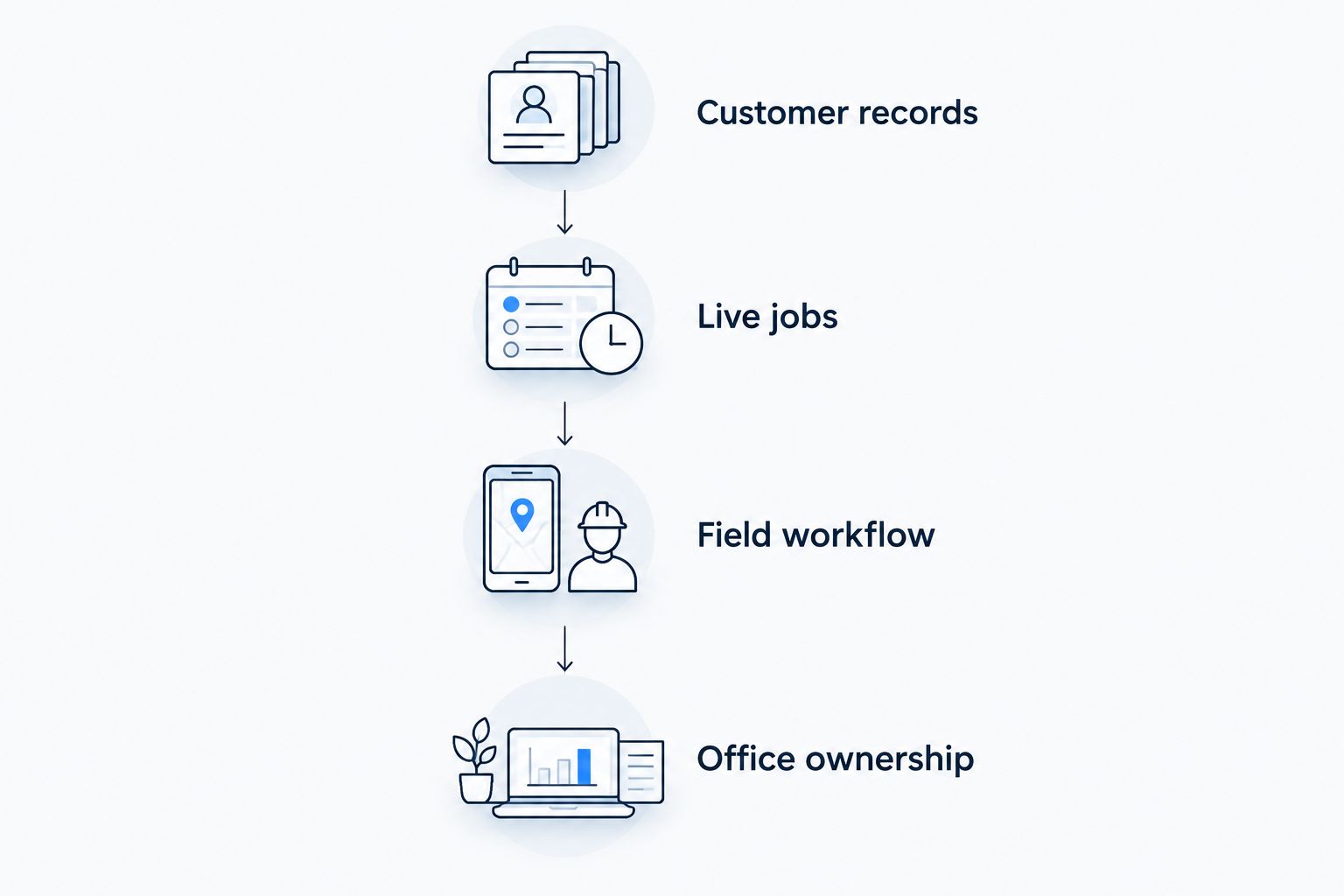
For a 2026 buying decision, use 4 checks that apply to every operational alternative. Keep the current system running while you establish whether the replacement meets your needs.
- Customer records: Identify which customer details, job history, notes, and attachments you need to retain. Confirm export and import arrangements directly.
- Live jobs: Decide where open estimates, scheduled work, and unpaid invoices will live during the change. Give each item one clear home.
- Field workflow: Have a technician complete an ordinary job using the proposed software and their actual device.
- Office ownership: Assign responsibility for setup, training, exceptions, and the final changeover decision.
Judge the demonstration by completed work. If the presenter skips a task your team performs every day, bring the discussion back to that task before considering the product a fit.
When staying with ServiceTitan is the right call
Stay with ServiceTitan when its scheduling, dispatch, customer records, and invoicing support the work your team actually performs. A different interface is not, by itself, a reason to move customer history and retrain your staff.
Separate dissatisfaction with the website from dissatisfaction with operations. If the office can manage jobs but inquiries are slipping through, address the inquiry process first. If the operational workflow is the problem, test a replacement against the exact task that fails.
FAQ
What's the best ServiceTitan alternative for a small contractor in 2026?
Jobber is a strong starting point when you need scheduling, quotes, and invoices. Choose by testing your ordinary jobs; a managed website service addresses a different need from field-service software.
Can SiteSmartly replace ServiceTitan?
SiteSmartly is an alternative for managed contractor websites, lead capture, quoting tools, and call answering—not a like-for-like replacement for dispatch and invoicing. Keep the operational requirements separate when comparing the two.
Is Jobber better than ServiceTitan for my business?
Choose Jobber over ServiceTitan only if its workflow better fits your required tasks. Test a quote, an appointment change, and an invoice before deciding; a feature list alone does not establish fit.
Should I compare Housecall Pro with ServiceTitan?
Yes, if online booking, scheduling, dispatch, and invoicing are central to your decision. Demonstrate an appointment exception as well as a straightforward booking so you can assess office handling.
Is ServiceM8 a good option for technicians using iPhones?
ServiceM8 belongs on your shortlist for an iPhone- and iPad-centered field workflow. Confirm the required functions on every device your crew uses before selecting it.
Do I need to replace ServiceTitan to improve my website?
No, a website decision and a field-service software decision address different work. Define how website inquiries should reach your office, then confirm any required connection rather than assuming one exists.
What should I check before moving away from ServiceTitan?
Check customer records, live jobs, field workflow, and office ownership. Confirm how you will retain needed information and manage open work before changing systems.
One last thing
Your best 2026 software test is an awkward job, not a perfect one. Use a rescheduled visit with an open estimate and a customer asking for an update.
Ask the office and technician to handle it without skipping steps. Choose the system that handles your real work—not the one that gives the smoothest demonstration.